
→ No sign-up, no limits — split by ratio instead.
No account, no daily cap on expenses, and no flat 50/50 split — set a custom ratio for every person, or group people by household instead. Just share one link. No signup required. Completely free.
App Screens
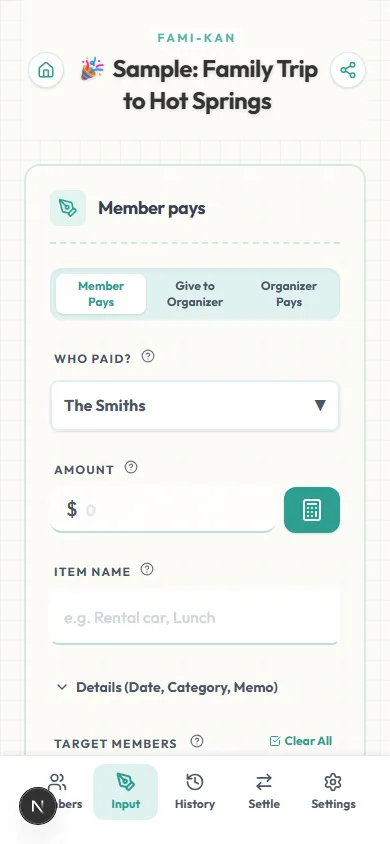
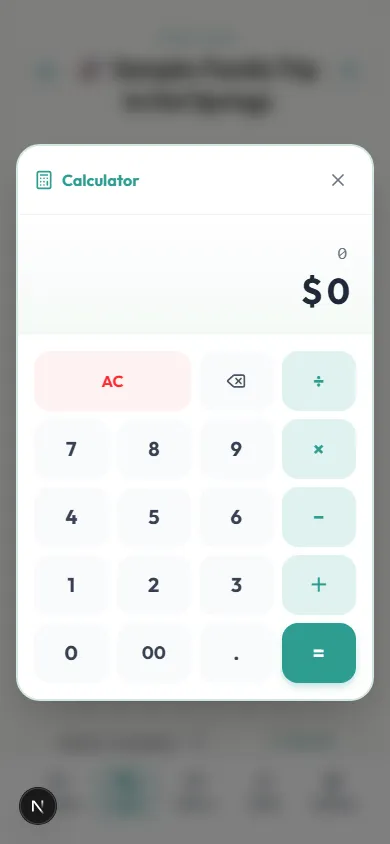
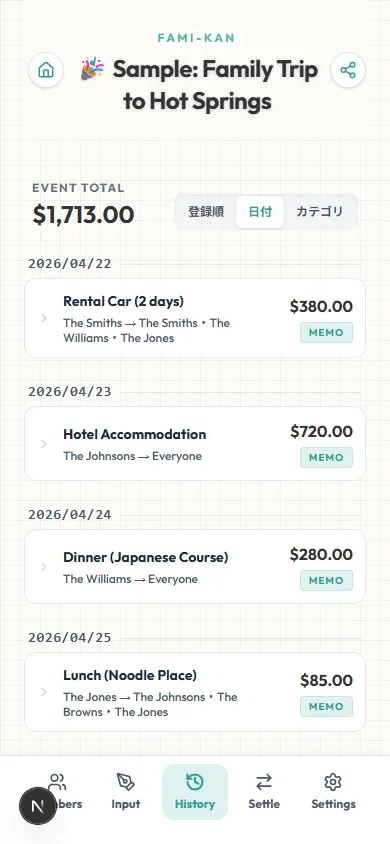
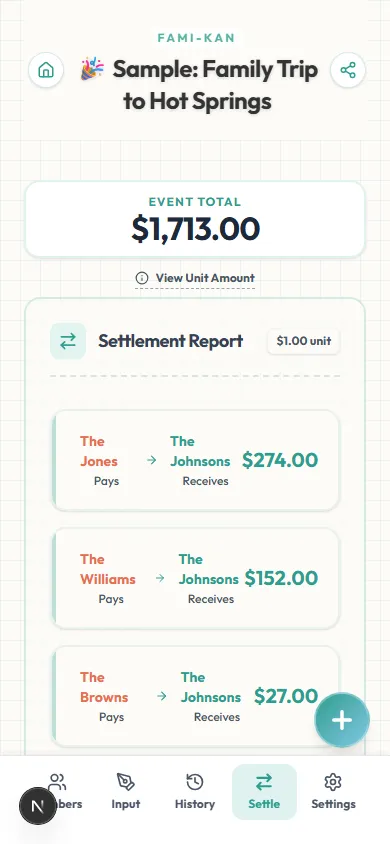
Any of these sound familiar?
Don't let tedious money calculations ruin a great memory.
I hit a wall trying to log one more expense — is there really a limit?
Splitwise's free plan has a daily cap on how many expenses you can add. FAMI-KAN has no such cap — log as many entries as your event actually needs.
I just want to split a dinner bill. Why do I need to make an account first?
FAMI-KAN skips the account step entirely. Create an event, share the link, and everyone logs their own expenses straight from their phone's browser.
None of these apps let me split fairly when people should pay different amounts.
Set an individual ratio for every participant — Adult 1.0, Child 0.5, Infant 0 — or group people by household so a couple and a solo traveler are weighted differently in the same event.
FAMI-KAN needs no sign-up and no install. Set a ratio once — Adult 1.0, Child 0.5 — and it applies to every expense after that. We compare it with other apps, including where they do better.
Simple 3-Step Guide
No app downloads or accounts needed.
Create an Event
Set the event name and add participants — no account needed
Set Ratios (Optional)
Assign a custom weight per person, or group people by household
Log Expenses
Share the link — everyone enters what they paid from their own phone
View Settlement
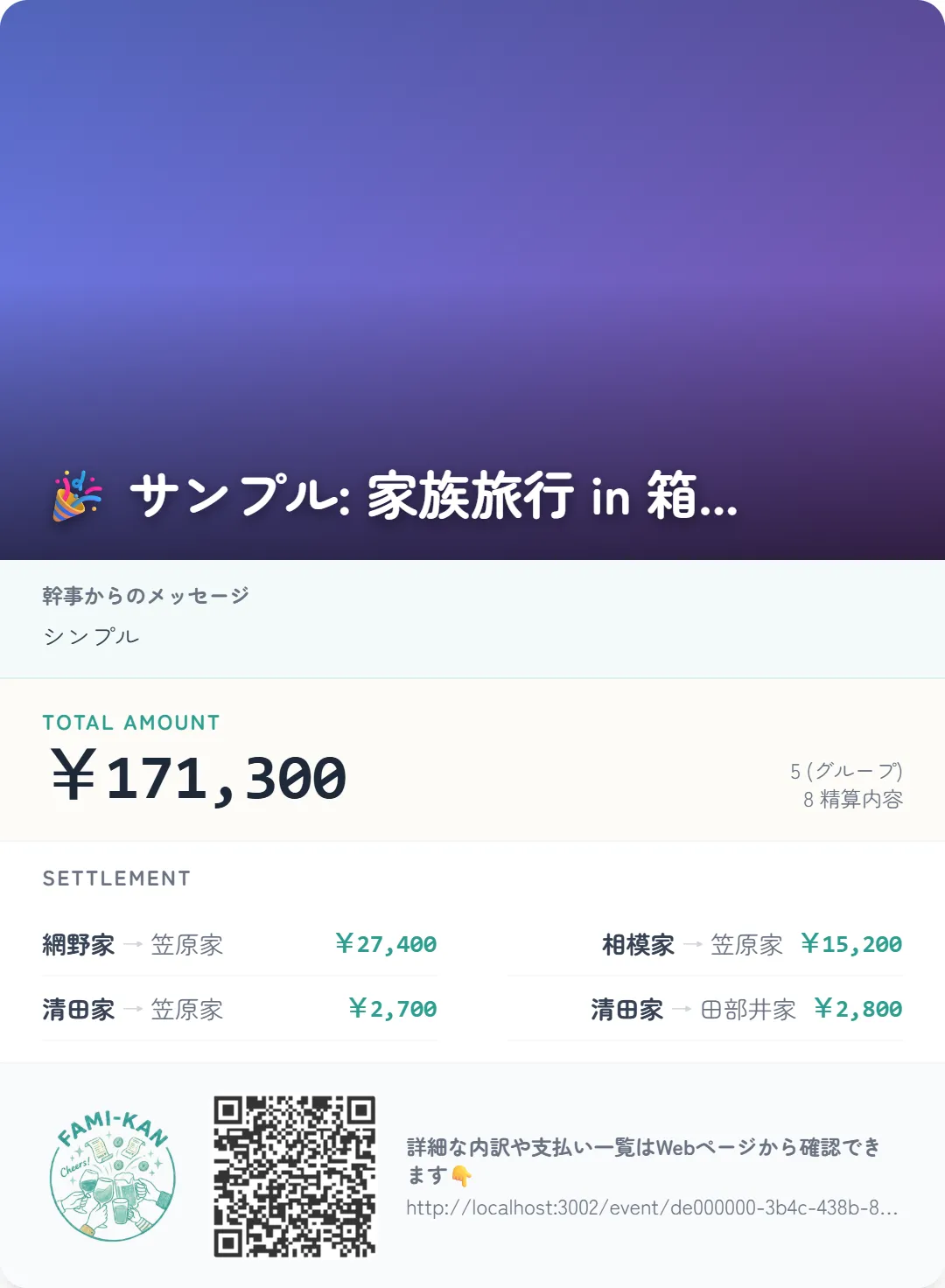
See the minimum number of transfers needed to settle up
Why FAMI-KAN is Best
When people search for a 'Splitwise alternative,' they're usually running into one of a few specific frictions. Splitwise requires creating an account before you can use it, and its free plan includes a daily cap on how many expenses you can add — worth knowing if you're logging a lot of small purchases during a busy trip or event. Tricount, another popular option, removed its custom-split feature in version 8.0 (per Tricount's own help documentation, which notes a return is planned but not yet available), so unequal ratios currently aren't supported there. Splid's free tier is limited to a single group, so a second trip or household needs a paid plan. FAMI-KAN takes a different approach from the ground up: there's no account to create, no daily cap on entries, and no group limit — because the tool was designed around ratio-based and household-based splitting from day one, not added later as a premium feature. Set any participant's share as a custom ratio (Adult 1.0, Child 0.5, Infant 0, for example), or group people by household so a couple and a solo traveler are weighted differently within the same event. Just share one link — everyone logs their own expenses from their phone, and the settlement calculates itself. Completely free, with no account and no plan-based limits to run into.
Why we built FAMI-KAN
At the end of a fun trip, the worst part is figuring out who owes what. Pulling out receipts, calculating, and remembering who paid for what brings a cold, administrative feel to great memories.
Existing split-bill apps are useful, but often too complex or force everyone to download an app. We wanted something simpler and more welcoming.
FAMI-KAN is not just a calculator. By letting the system handle the math, you can focus on the fun conversations and memories. It's a partner that preserves the joyful afterglow of your events.
Frequently Asked Questions
Yes. FAMI-KAN is completely free with no account required. Unlike Splitwise's free plan, there's no daily cap on how many expenses you can log, and custom ratios per participant cost nothing extra.
No. FAMI-KAN doesn't impose a cap on the number of expenses you can add — log as many entries as your event actually needs, whether that's 5 or 500.
No sign-up is required. Create an event, share the link, and everyone — including you — can log expenses directly from their phone's browser.
Yes. Every participant can be assigned an individual ratio (for example, 1.0 for adults and 0.5 for kids). This has always been a core feature, not an add-on.
Yes. Unlike a single-group free tier, FAMI-KAN lets you create as many separate events as you need — each with its own link — at no cost.
Yes. Group participants into households — a couple, a family of four, a solo traveler — and assign each household a weight so lodging and shared costs are divided fairly, not just split evenly per person.
Yes. Ratios are set per participant within a single event, so a family trip with grandparents, parents, and kids can each carry a different, fully customizable share.
No. FAMI-KAN runs entirely in your browser — no app store download, nothing to install. Works the same way on iPhone, Android, and desktop.
There is no fixed expiry for event data (events not updated for 3 years or more may be deleted), so you can revisit the shared link anytime to review past settlements.
Yes. Every feature described here — ratios, households, unlimited entries — is available at no cost, with no premium tier gating any of it.
Yes. Every bill-splitting and settlement feature is free to use, and no registration is required.
No. It runs entirely in your web browser. Just share the link and everyone can access it immediately on their phones.
Yes, you can select the currency when creating an event (supports 62 currencies). You can unify calculations easily for trips abroad.
Yes. You can switch between three views — "Settlement", "By Member" and "By Item". You can see what each person paid and owes, and for any single expense, who is covering how much. Everyone sees why the number is what it is, on the same screen.