Divisão de conta inteligente em 5 passos simples
O FAMIKAN Smart torna simples a divisão de contas complicadas e a distribuição por pesos. Veja como começar em 5 passos.
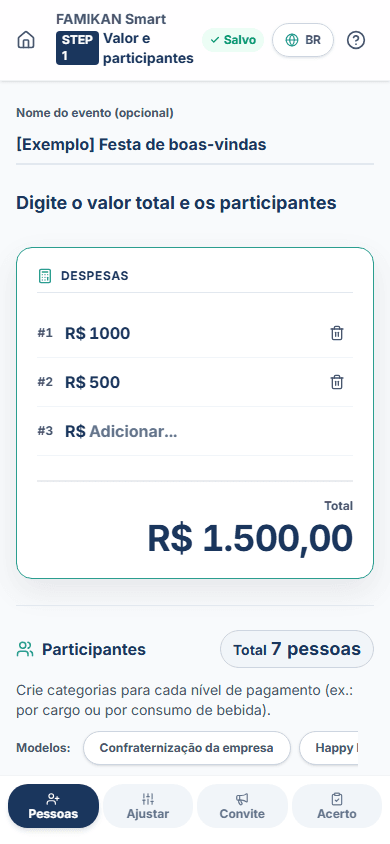
Crie o evento e defina as categorias
Digite o nome do evento e o valor total, depois defina o número de participantes de cada categoria, como 'Diretor' ou 'Novato'. Use modelos práticos, como 'Confraternização da empresa', para carregar rapidamente estruturas de grupo comuns.
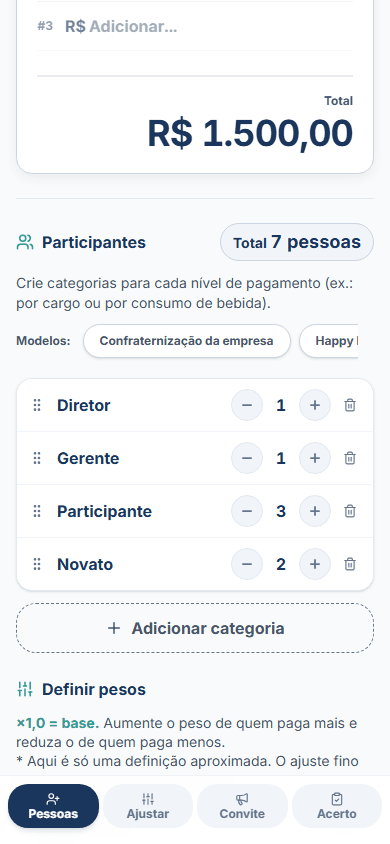
Defina o equilíbrio do pagamento com pesos intuitivos
Defina intuitivamente 'quem paga mais' com as barras de peso (×1,5, ×0,5 etc.). Não se preocupe com valores exatos nesta etapa, defina só o equilíbrio aproximado.
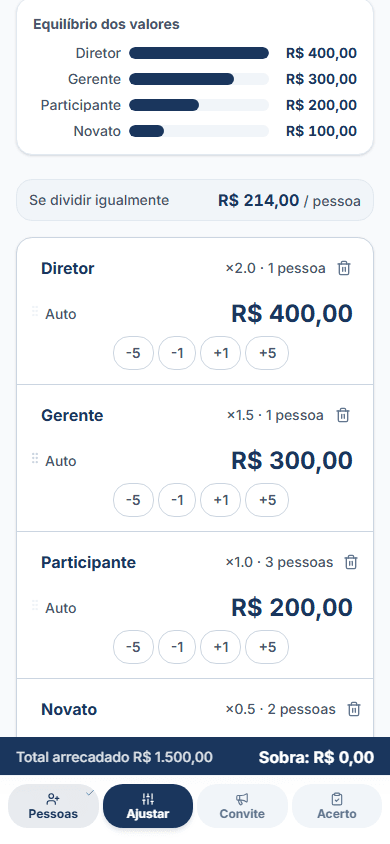
Ajuste fino dos valores e bloqueio
Ajuste os valores calculados com os botões +/- para obter números redondos. Use o botão 🔒 (Bloquear) para fixar o valor de uma categoria; o saldo restante é redistribuído automaticamente entre as outras.
Crie o aviso antes do evento
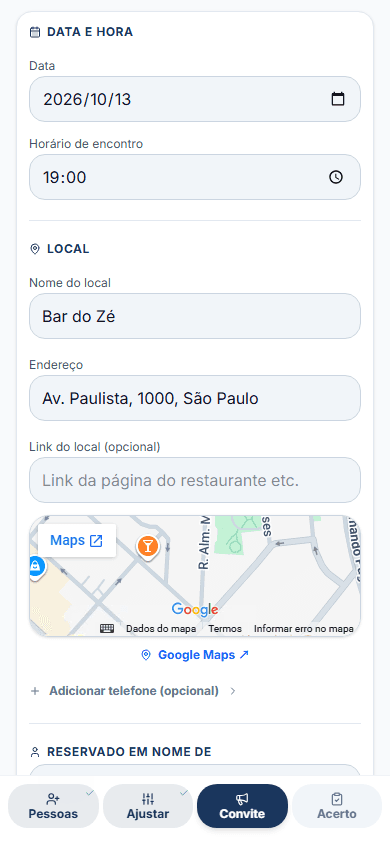
Coloque os dados de pagamento (chave Pix, dados bancários, local) no campo de recado. Compartilhe os valores previstos com os participantes pelo WhatsApp ou outros apps antes do evento para evitar problemas na cobrança.
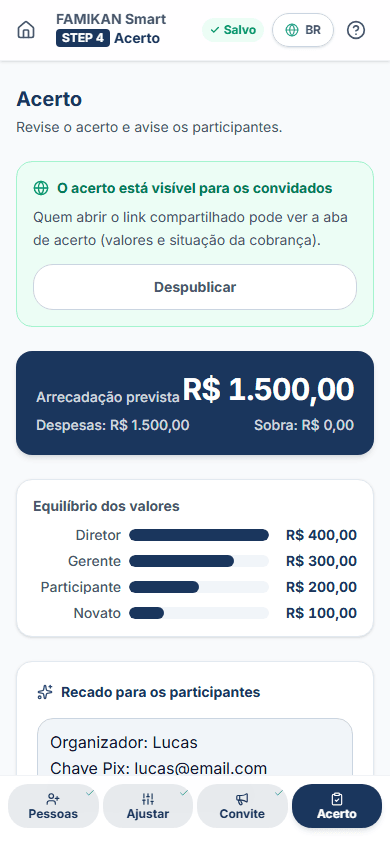
Acerto final e lista de cobrança
Depois do evento, use o acerto inteligente e a lista de cobrança para acompanhar quem já pagou. Veja num relance quem ainda não pagou. Todos os dados ficam guardados com segurança só no seu navegador.