स्मार्ट बिल बँटवारा बस 5 आसान स्टेप में
FAMIKAN Smart पेचीदा बिल बँटवारे और गुणक के हिसाब से बाँटने को आसान बना देता है। शुरू करने के 5 आसान स्टेप ये हैं।
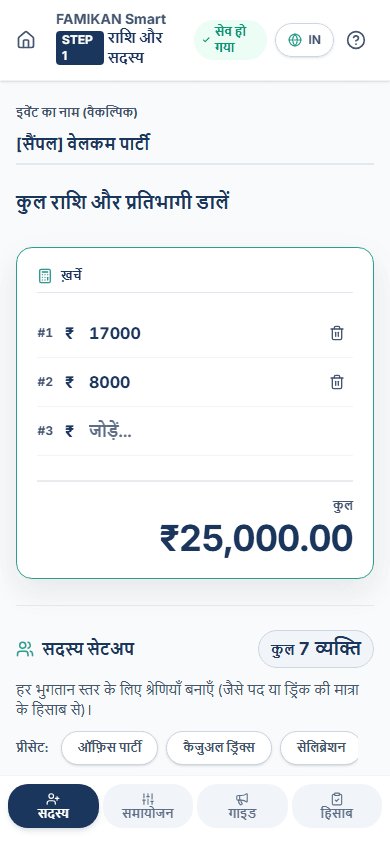
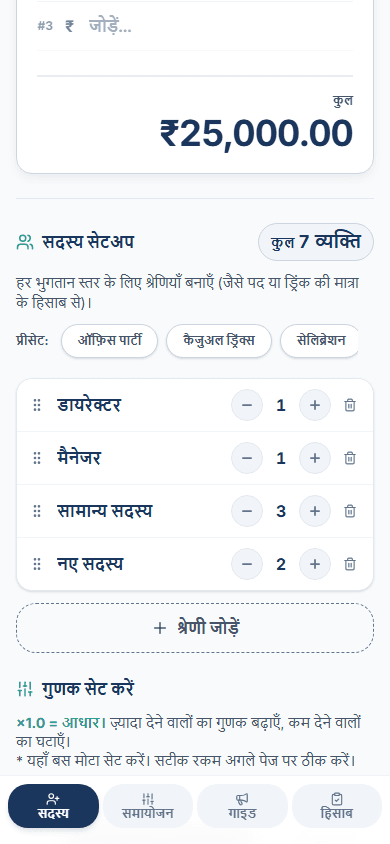
इवेंट बनाएँ और ग्रुप श्रेणियाँ सेट करें
इवेंट का नाम और कुल राशि डालें, फिर 'डायरेक्टर' या 'नए सदस्य' जैसी हर श्रेणी के प्रतिभागियों की संख्या सेट करें। 'ऑफ़िस पार्टी' जैसे काम के टेम्पलेट से आम ग्रुप ढाँचा तुरंत लोड करें।
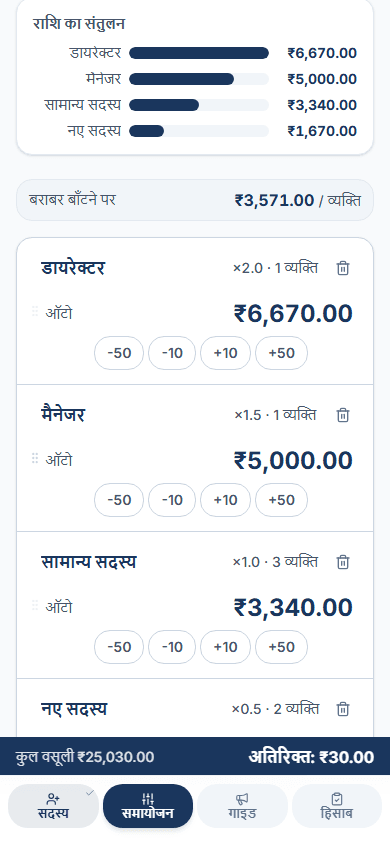
आसान गुणक से भुगतान का संतुलन सेट करें
गुणक बार (×1.5, ×0.5 आदि) से सहज तरीके से तय करें कि 'कौन ज़्यादा देगा'। इस स्टेप पर सटीक रकम की चिंता न करें। बस भुगतान का मोटा संतुलन सेट करें।
रकम ठीक करें और लॉक फ़ीचर
+/- बटन से निकली हुई रकम को गोल अंकों में समायोजित करें। श्रेणी की रकम फ़िक्स करने के लिए 🔒 (लॉक) बटन इस्तेमाल करें। बची हुई रकम बाक़ी श्रेणियों में अपने आप बँट जाती है।
इवेंट से पहले की सूचना बनाएँ
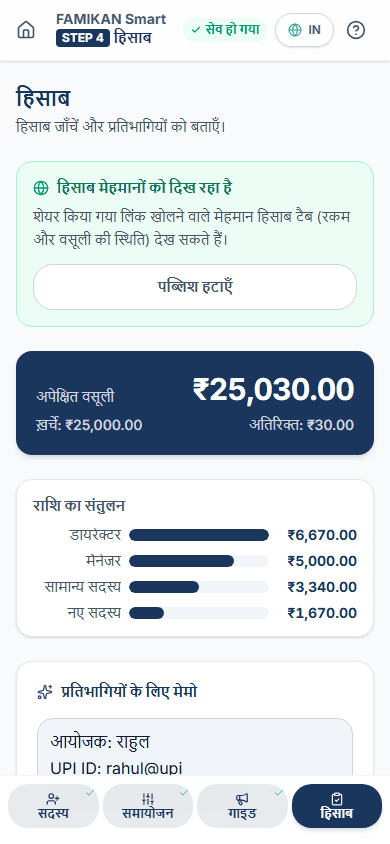
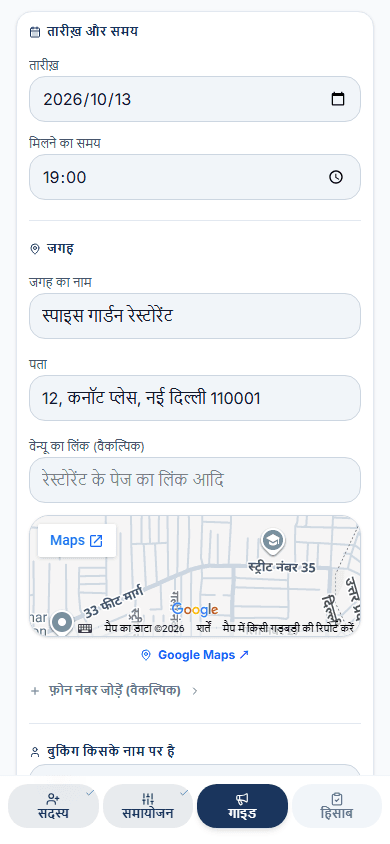
मेमो में भुगतान की जानकारी (UPI ID, बैंक विवरण, वेन्यू) डालें। वसूली की दिक़्क़त से बचने के लिए इवेंट से पहले WhatsApp या मैसेजिंग ऐप पर अपेक्षित रकम प्रतिभागियों के साथ शेयर करें।
अंतिम हिसाब और कलेक्शन चेकलिस्ट
इवेंट के बाद स्मार्ट हिसाब और कलेक्शन चेकलिस्ट से देखें कि किसने भुगतान किया। जिन्होंने नहीं दिया, वे एक नज़र में दिख जाते हैं। सारा डेटा सिर्फ़ आपके ब्राउज़र में सुरक्षित रहता है।